Uppdaterar


iPhone-skärmavbilder





iPad-skärmavbilder





Beskrivning
Electronically sign and send documents with Scan, eSign & Fill Documents and get it done on your finger tips. It is a simplest solution for your business needs that requires no log-in or registration as well as no expensive subscription charges.
You can easily scan a document from device camera, fill your documents within the app, add your real signature to any document with fingers or by using a stylus and apply those signatures or initials to the form. If you prefer using a pen drawn signature, you can simply add it on paper, capture a photo and insert it on your documents. Import and prepare a document entirely on your device and share instantly.
Common documents to sign with Scan, eSign & Fill Documents are: NDAs, Sales contracts, Financial agreements, Waivers, Lease Agreements, Employment Contracts, Job Offers, Work orders and virtually anything.
KEY FEATURES:
SCAN:
Quickly create a PDF scan from camera within the app and digitalize your paper documents.
FILL:
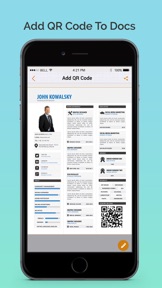
Fill out documents and forms with multiple options of adding Text, Checkmarks, Date, Images, QR Code and more.
SIGN:
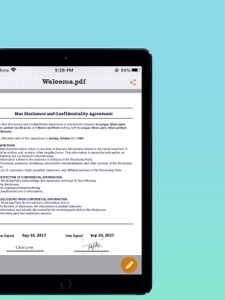
Sign realistically with hand drawn signatures or add Initials within the app and digitally sign your documents.
IMPORT:
Import a document from Dropbox, OneDrive, Google Drive, iTunes Share, URL and through other apps with “Open In” functionality as well.
ATTACH DOCUMENTS:
Attach any document at the end of your ready PDF and send anywhere you like.
ADD DATE & COMMENTS:
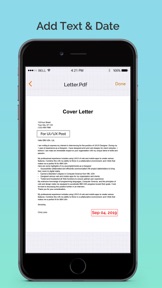
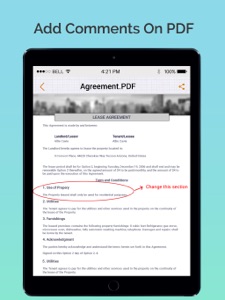
Insert date, modify its size and color as well as add comments to PDF files before sharing them.
EXPORT:
Share the complete document with anyone via Google Drive, OneDrive, Dropbox, iTunes Share, iCloud, email, WhatsaApp and lot more.
PRINT:
You may even print your documents directly from your device and handle paper work efficiently.
Download the app now to manage paperwork efficiently. For any questions or suggestions, contact us at support@whizpool.com
Nyheter i version 2.5
- Improved stability and bug fixes
Thank you for using Scan, eSign & Fill Documents! We regularly update our app to fix bugs, improve performance and add new features to bring a great experience for our users.
Säljare
Information
Utvecklare
Kategorier
Version
2.5
Storlek
125,1 MB
Game Center
Nej
VPP Device Licensing
Ja
Betyg
Åldersgräns: 4+
Kompatibilitet
iOS 11.0 eller senare
Enheter
iPhone 5s, iPhone 6, iPhone 6 Plus, iPhone 6s, iPhone 6s Plus, iPhone SE, iPhone 7, iPhone 7 Plus, iPhone 8, iPhone 8 Plus, iPhone X, iPhone XR, iPhone XS, iPhone XS Max, iPhone 11, iPhone 11 Pro, iPhone 11 Pro Max, iPhone SE (2:a generationen), iPhone 12, iPhone 12 Pro, iPhone 12 Pro Max, iPhone 12 mini, iPhone 13, iPhone 13 Pro, iPhone 13 Pro Max, iPhone 13 mini, iPhone SE (3:e generationen), iPhone 14, iPhone 14 Plus, iPhone 14 Pro, iPhone 14 Pro Max, iPad (5:e generationen) Wi-Fi, iPad (5:e generationen) Wi-Fi + Cellular, iPad (6:e generationen) Wi-Fi, iPad (6:e generationen) Wi-Fi + Cellular, iPad Pro, iPad Pro (Cellular), iPad Pro (9,7-tums), iPad Pro (9,7-tums) (Cellular), iPad Pro 12,9 tum (2:a generationen), iPad Pro 12,9 tum (2:a generationen) Wi-Fi + Cellular, iPad Pro (10,5 tum), iPad Pro (10,5 tum) Wi-Fi + Cellular, iPad Pro (11 tum), iPad Pro (11 tum) Wi-Fi + Cellular, iPad Pro 12,9 tum (tredje generationen), iPad Pro 12,9 tum (tredje generationen) Wi-Fi + Cellular, iPad Air, iPad Air (Cellular), iPad Air 2, iPad Air 2 (Cellular), iPad Air (tredje generationen), iPad Air (tredje generationen) Wi-Fi + Cellular, iPad mini Retina, iPad mini Retina (Cellular), iPad mini 3, iPad mini 3 (Cellular), iPad mini 4, iPad mini 4 (Cellular), iPad mini (5:e generationen), iPad mini (5:e generationen) Wi-Fi + Cellular, iPad (7:e generationen) Wi-Fi + Cellular, iPad Pro 11 tum (2:a generationen), iPad Pro 11 tum (2:a generationen) Wi-Fi + Cellular, iPad Pro 12,9 tum (4:e generationen), iPad Pro 12,9 tum (4:e generationen) Wi-Fi + Cellular, iPad Air (fjärde generationen) (Wi-Fi), iPad Air (fjärde generationen) (Wi-Fi + Cellular), iPad (8:e generationen) Wi-Fi, iPad (8:e generationen) Wi-Fi + Cellular, iPad Pro 11 tum (tredje generationen), iPad Pro 11 tum (tredje generationen) Wi-Fi + Cellular, iPad Pro 12,9 tum (5:e generationen), iPad Pro 12,9 tum (5:e generationen) Wi-Fi + Cellular, iPad (9:e generationen), iPad (9:e generationen) Wi-Fi + Cellular, iPad mini (6:e generationen), iPad mini (6:e generationen) Wi-Fi + Cellular, iPad Air (5:e generationen), iPad Air (5:e generationen) Wi-Fi + Cellular, iPad Pro 11 tum (fjärde generationen), iPad Pro 11 tum (fjärde generationen) Wi-Fi + Cellular, iPad Pro 12,9 tum (6:e generationen), iPad Pro 12,9 tum (6:e generationen) Wi-Fi + Cellular, iPad (10:e generationen), iPad (10:e generationen) Wi-Fi + Cellular, iPod touch (sjätte generationen), iPod touch (7:e generationen)
Språk
engelska, franska, italienska, japanska, kinesiska, koreanska, nederländska, portugisiska, spanska, tyska
App Store: Kundbetyg
Betyg och recensioner
0,0 av 5 (Inget betyg)
App Store: Kundrecensioner
Ingen post