Uppdaterar

Docs² | for Microsoft Excel
Släppt: 2015-01-16
© 2013 - 2018 Docs Squared, LLC. All rights reserved.


iPhone-skärmavbilder


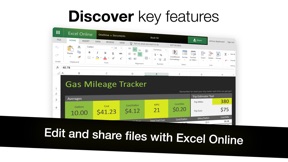

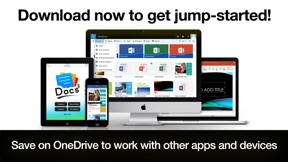
iPad-skärmavbilder


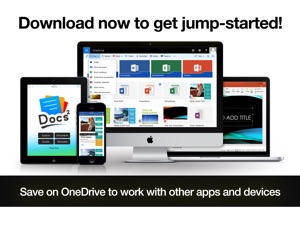
Beskrivning
–– SAVE BIG TODAY ON DOCS² | THE SMARTEST BUNDLE FOR MICROSOFT EXCEL! ––
• Start working smarter, online and on the go with the Office apps you know and love.
• Quickly create Microsoft Excel and OneNote documents, or email with Outlook.
• Complete with many of the best documents, guides and templates for Office.
Get Docs² for everything you need to begin quickly creating Microsoft Excel docs! Work smarter with great videos to guide you through the essentials, a convenient document browser to edit online and on the go with your favorite apps, plus free templates to help you create beautiful docs. All together in the smartest bundle for Microsoft Excel!
FEATURES
– Explore the essentials of Microsoft Excel with helpful videos & content to guide you.
– Create and share docs online with convenient shortcuts for your favorite apps, including:
–– Excel, Outlook, OneNote & OneDrive.
– Discover free templates to create beautiful documents.
– Save docs offline or in OneDrive to work with other apps and devices.
QUICKLY LEARN TO:
– Create beautiful Excel spreadsheets.
– Save, print, publish and share workbooks.
– Edit and add comments to documents.
– Add basic formulas and references.
– Use advanced functions and operators.
– Add interesting styles, pictures and charts.
– Work with documents while on the go.
– And so much more…
DEVELOP YOUR SKILLS WITH THE BEST DOCUMENT BROWSER
– Enjoy streamlined steps to work with documents in OneDrive.
– Work with the most popular document types and formats.
– Avoid frustrating file incompatibility, and "View Only" headaches of other apps.
– Secure your files with Face ID, Touch ID, or passcode.
– Type what you want to do, and the new Tell Me feature will show you how!
SAVE YOUR WORK ONLINE FOR USE ACROSS YOUR DEVICES
– Because working without the cloud is so 1999...
– Simply save your files to OneDrive to edit them everywhere.
– Automatically sync documents for use across your devices.
– Easily share your documents with friends and colleagues.
– Enjoy greater freedom with online and mobile editing.
EXPLORE HUNDREDS OF PROFESSIONAL QUALITY TEMPLATES
– Browse a free treasure trove of time saving templates.
– Select the perfect layout or theme, and edit online or save offline.
– Start creating beautiful documents in no time!
LEARN FROM THE MASTERS
– The included guides show you everything you need to be more productive, discover key features, and learn to get things done fast.
Download now to get jump-started!
________________________________________
NOTICE: Microsoft Office 365, Excel, Outlook, OneNote, and OneDrive are property or trademarks of Microsoft Corporation. Docs² is a property and trademark of Docs Squared, and is neither produced by, endorsed by, nor affiliated with Microsoft Corporation. Access to Microsoft Office functionality and templates is available for free through Microsoft Office Online, or you can work offline with even more features via an Office 365 trial subscription. © 2013-2018 Docs Squared, LLC. All rights reserved.
Nyheter i version 5.0
This app has been updated by Apple to display the Apple Watch app icon.
Great news! Bugs have been squashed and are extremely rare in this version. You'll love the results!
- Over 99.6% of customers don't report experiencing any technical issues.
- In the unlikely event of a problem: Contact us anytime. We’re happy to help!
New Features:
• Designed to feel faster, more fun, and help you get things done!
• Secure access to your files with Face ID, Touch ID, or passcode.
• Support for the new iPhone X and iPad Pro.
Other improvements...
– Added support for business and education, in addition to personal users.
– Streamlined steps for document editing.
– Stability and performance improvements.
– Interface and other enhancements.
– Optimized for iOS 11.
– Content updates.
– Other fixes.
Information
Utvecklare
Kategorier
Version
5.0
Storlek
63,6 MB
Game Center
Nej
VPP Device Licensing
Ja
Betyg
Åldersgräns: 4+
Kompatibilitet
iOS 9.0 eller senare
Enheter
iPhone 4S, iPhone 5, iPhone 5c, iPhone 5s, iPhone 6, iPhone 6 Plus, iPhone 6s, iPhone 6s Plus, iPhone SE, iPhone 7, iPhone 7 Plus, iPhone 8, iPhone 8 Plus, iPhone X, iPhone XR, iPhone XS, iPhone XS Max, iPhone 11, iPhone 11 Pro, iPhone 11 Pro Max, iPhone SE (2:a generationen), iPhone 12, iPhone 12 Pro, iPhone 12 Pro Max, iPhone 12 mini, iPhone 13, iPhone 13 Pro, iPhone 13 Pro Max, iPhone 13 mini, iPhone SE (3:e generationen), iPhone 14, iPhone 14 Plus, iPhone 14 Pro, iPhone 14 Pro Max, iPhone 15, iPhone 15 Plus, iPhone 15 Pro, iPhone 15 Pro Max, iPad 2 (Wi-Fi), iPad 2 (3G), iPad (tredje generationen) (Wi-Fi), iPad (tredje generationen) (4G), iPad (fjärde generationen) (Wi-Fi), iPad (fjärde generationen) (4G), iPad (5:e generationen) Wi-Fi, iPad (5:e generationen) Wi-Fi + Cellular, iPad (6:e generationen) Wi-Fi, iPad (6:e generationen) Wi-Fi + Cellular, iPad Pro, iPad Pro (Cellular), iPad Pro (9,7-tums), iPad Pro (9,7-tums) (Cellular), iPad Pro 12,9 tum (2:a generationen), iPad Pro 12,9 tum (2:a generationen) Wi-Fi + Cellular, iPad Pro (10,5 tum), iPad Pro (10,5 tum) Wi-Fi + Cellular, iPad Pro (11 tum), iPad Pro (11 tum) Wi-Fi + Cellular, iPad Pro 12,9 tum (tredje generationen), iPad Pro 12,9 tum (tredje generationen) Wi-Fi + Cellular, iPad Air, iPad Air (Cellular), iPad Air 2, iPad Air 2 (Cellular), iPad Air (tredje generationen), iPad Air (tredje generationen) Wi-Fi + Cellular, iPad mini (Wi-Fi), iPad mini (4G), iPad mini Retina, iPad mini Retina (Cellular), iPad mini 3, iPad mini 3 (Cellular), iPad mini 4, iPad mini 4 (Cellular), iPad mini (5:e generationen), iPad mini (5:e generationen) Wi-Fi + Cellular, iPad (7:e generationen) Wi-Fi + Cellular, iPad Pro 11 tum (2:a generationen), iPad Pro 11 tum (2:a generationen) Wi-Fi + Cellular, iPad Pro 12,9 tum (4:e generationen), iPad Pro 12,9 tum (4:e generationen) Wi-Fi + Cellular, iPad Air (fjärde generationen) (Wi-Fi), iPad Air (fjärde generationen) (Wi-Fi + Cellular), iPad (8:e generationen) Wi-Fi, iPad (8:e generationen) Wi-Fi + Cellular, iPad Pro 11 tum (tredje generationen), iPad Pro 11 tum (tredje generationen) Wi-Fi + Cellular, iPad Pro 12,9 tum (5:e generationen), iPad Pro 12,9 tum (5:e generationen) Wi-Fi + Cellular, iPad (9:e generationen), iPad (9:e generationen) Wi-Fi + Cellular, iPad mini (6:e generationen), iPad mini (6:e generationen) Wi-Fi + Cellular, iPad Air (5:e generationen), iPad Air (5:e generationen) Wi-Fi + Cellular, iPad Pro 11 tum (fjärde generationen), iPad Pro 11 tum (fjärde generationen) Wi-Fi + Cellular, iPad Pro 12,9 tum (6:e generationen), iPad Pro 12,9 tum (6:e generationen) Wi-Fi + Cellular, iPad (10:e generationen), iPad (10:e generationen) Wi-Fi + Cellular, iPod touch (femte generationen), iPod touch (sjätte generationen), iPod touch (7:e generationen)
Språk
engelska
App Store: Kundbetyg
Betyg och recensioner
0,0 av 5 (Inget betyg)
App Store: Kundrecensioner
Ingen post