Uppdaterar


iPhone-skärmavbilder


iPad-skärmavbilder


Beskrivning
WHAT IS SHOT DESIGNER?
• CAMERA DIAGRAM - Shot Designer dramatically speeds up the Director's process of making camera diagrams. Create full-blown diagrams in seconds. The software does most of the work.
• ANIMATION - Animate your characters and cameras to move around your diagram in real-time. Previsualize the rhythm of a scene by seeing it play out.
• SHOT LIST - The integrated Shot List is tied into the diagram and writes itself while you work. Edit shots intuitively in the diagram, not in a confusing spreadsheet.
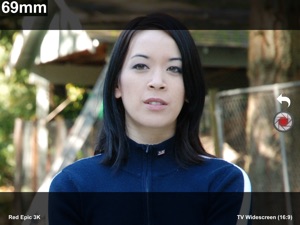
• DIRECTOR'S VIEWFINDER / STORYBOARDS - Bring in lens-accurate camera angles via the integrated Director's Viewfinder or Storyboard Import.
• MAC/PC DESKTOP VERSION - An identical Mac/PC Desktop Version is included with the Pro Version (in-app upgrade).
• SYNC & TEAM SHARING - Sync your scenes across all your devices. Share scene folders with teams. Control who owns which scene. (Pro Feature)
Watch the feature-demo at https://www.hollywoodcamerawork.com/shot-designer-videos.html
CAMERA-BLOCKING ON STEROIDS
Shot Designer was developed by Per Holmes, the creator of the renowned Hollywood Camera Work training, and has been developed in conjunction with major TV and Film productions.
Shot Designer is based on the realization that neither Camera Diagrams, Shot Lists, or Storyboards by themselves give you a satisfying understanding of camera-blocking -- you have to use them *together*.
Shot Designer is FAST. The app knows how Directing works and automatically does most of the work for you. Cameras rearrange themselves when you move characters. Animate characters and cameras with simple Walk To and Track To commands. Create sophisticated tracking shots with multiple marks. Shot Designer is fast enough that you can rearrange the diagram with actors waiting.
OTHER FEATURES
• Integrated Set Designer for building floor plans.
• Integrated Lighting Designer for DPs, with lighting symbols provided by Ari Golan of Atomic Imaging Studios Chicago.
• Import production drawings as backgrounds and block on top of them.
• Factory Templates of pre-made camera setups for any situation.
• Make your own templates as starting points for new scenes.
• Large and growing prop/furniture library. Email us requests, we'll build them.
• Scene Freeze: Experiment easily by taking snapshots you can return to (Pro).
• PDF/JPG/Excel export and emailing of Camera Diagrams and Shot Lists (Pro).
• Unlimited Folder Structure for organizing scenes (Pro).
The Free Version of Shot Designer is full-featured except for Save, Export and Sync/Team. Your current scene is always saved, and you can be fully productive working on one scene at a time. The Pro Version (in-app upgrade) adds File Management, identical Mac/PC Desktop Version, Sync and Team Sharing, PDF/JPG/Excel Export and more.
Nyheter i version 1.60.12
Fixed crash on long-press in editor.
Säljare
Namn
Hollywood Camera Work LLC
Information
Utvecklare
Kategorier
Version
1.60.12
Storlek
87,3 MB
Game Center
Nej
VPP Device Licensing
Ja
Betyg
Åldersgräns: 4+
Kompatibilitet
iOS 9.0 eller senare
Enheter
iPhone 5s, iPhone 6, iPhone 6 Plus, iPhone 6s, iPhone 6s Plus, iPhone SE, iPhone 7, iPhone 7 Plus, iPhone 8, iPhone 8 Plus, iPhone X, iPhone XR, iPhone XS, iPhone XS Max, iPhone 11, iPhone 11 Pro, iPhone 11 Pro Max, iPhone SE (2:a generationen), iPhone 12, iPhone 12 Pro, iPhone 12 Pro Max, iPhone 12 mini, iPhone 13, iPhone 13 Pro, iPhone 13 Pro Max, iPhone 13 mini, iPad (5:e generationen) Wi-Fi, iPad (5:e generationen) Wi-Fi + Cellular, iPad (6:e generationen) Wi-Fi, iPad (6:e generationen) Wi-Fi + Cellular, iPad Pro, iPad Pro (Cellular), iPad Pro (9,7-tums), iPad Pro (9,7-tums) (Cellular), iPad Pro 12,9 tum (2:a generationen), iPad Pro 12,9 tum (2:a generationen) Wi-Fi + Cellular, iPad Pro (10,5 tum), iPad Pro (10,5 tum) Wi-Fi + Cellular, iPad Pro (11 tum), iPad Pro (11 tum) Wi-Fi + Cellular, iPad Pro 12,9 tum (tredje generationen), iPad Pro 12,9 tum (tredje generationen) Wi-Fi + Cellular, iPad Air, iPad Air (Cellular), iPad Air 2, iPad Air 2 (Cellular), iPad Air (tredje generationen), iPad Air (tredje generationen) Wi-Fi + Cellular, iPad mini Retina, iPad mini Retina (Cellular), iPad mini 3, iPad mini 3 (Cellular), iPad mini 4, iPad mini 4 (Cellular), iPad mini (5:e generationen), iPad mini (5:e generationen) Wi-Fi + Cellular, iPad (7:e generationen) Wi-Fi + Cellular, iPad Pro 11 tum (2:a generationen), iPad Pro 11 tum (2:a generationen) Wi-Fi + Cellular, iPad Pro 12,9 tum (4:e generationen), iPad Pro 12,9 tum (4:e generationen) Wi-Fi + Cellular, iPad Air (fjärde generationen) (Wi-Fi), iPad Air (fjärde generationen) (Wi-Fi + Cellular), iPad (8:e generationen) Wi-Fi, iPad (8:e generationen) Wi-Fi + Cellular, iPad Pro 11 tum (tredje generationen), iPad Pro 11 tum (tredje generationen) Wi-Fi + Cellular, iPad Pro 12,9 tum (5:e generationen), iPad Pro 12,9 tum (5:e generationen) Wi-Fi + Cellular, iPad (9:e generationen), iPad (9:e generationen) Wi-Fi + Cellular, iPad mini (6:e generationen), iPad mini (6:e generationen) Wi-Fi + Cellular, iPod touch (sjätte generationen), iPod touch (7:e generationen)
Språk
svenska, danska, engelska, finska, franska, grekiska, hebreiska, indonesiska, italienska, japanska, kinesiska, koreanska, malajiska, nederländska, norskt bokmål, polska, portugisiska, ryska, spanska, thailändska, tjeckiska, turkiska, tyska, vietnamesiska
App Store: Kundbetyg
Betyg och recensioner
0,0 av 5 (Inget betyg)
App Store: Kundrecensioner
Ingen post