Beskrivning
Scan and OCR documents to produce high-quality images. Enter texts, fill forms, sign, draw, collage, and send.
Share as PDF / JPEG / TXT / docx by email, FAX, SMB, Cloud Services, WebDAV, and iTunes / WiFi file sharing.
Transform your iPhone / iPad into a pocket scanner and photo collage maker.
Instantly scan multi-page documents and send them out on the go.
What DocScan Pro can help you:
- Sign and email business contracts and fill forms on the road
- Archive receipts and coupons
- Convert notes, sketches, and business cards to digital copies
- OCR / Recognize text from scanned images and export results as txt or Docx files.
- Save books and articles for later reading
- Create meeting minutes or memos from whiteboard discussion
- Photo Collage: Combine multiple pages into one sheet. It's very useful when you need to print multiple pages (e.g. two sides of ID cards) on one A4/Letter paper
- Scan QR codes from camera or photo albums to open URL, phone calls, emails, and add contacts ...etc.
- Transfer all your documents from one device to another
KEY FEATURES
Fast Scan with High-quality Images:
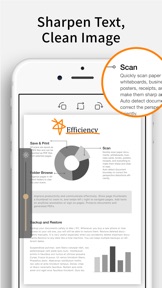
- Auto-detect document borders from a picture and capture images
- Correct Perspective Distortion: makes even curled pages readable
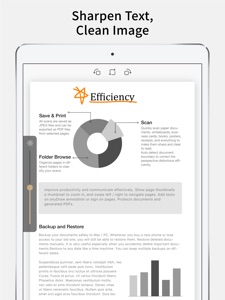
- Image Filters: Remove shadows and adjust the brightness to produce a high-quality image document
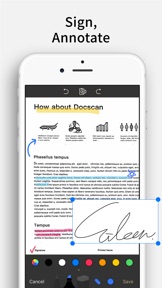
- Text Edit: Enter texts to fill forms, highlight, annotate, or sign on the scanned image
- File Naming Rules: Save your time to name new files in advance. Create your own naming rules
Protect Your Privacy:
- Password Protection: Set a password to protect your documents in a folder from unauthorized view
Keep Track Of Your Documents:
- Search documents by name
- Organize documents with folders: switch between folders quickly with a single tap
- Create, merge, delete, duplicate, rename, move, import, and export documents
Share and Export Your Scans:
- In-App Fax: Send and receive faxes when you are out of the office or have no fax machine at all. Fax documents to over 100 countries instantly (price calculated by the number of pages and recipient country and paid via in-app purchase). Receive a push notification to remind you of a fax status change: sent or received successfully or failed to deliver
- Support upload to iCloud Drive, Dropbox, Evernote, Box, OneDrive, Google Drive with OCR (Optical Character Recognition) option, SMB (Win / Mac), and WebDAV
- Print via AirPrint
- Export to Photo Albums
- "Open In" Other Apps
- Export to iTunes / WiFi file sharing
- Email documents as PDF / JPEG files
Import Files:
- Import JPEG from other apps as an image source to crop, correct perspective, and enhance.
- Import PDF from other apps as scanned pages
- Import PDF/JPEG from cloud storages
Receive Faxes: (non-auto-renew subscription)
- Support dozens of countries (we kept adding more) for users to subscribe for a number to receive faxes.
- Deny all faxes when no need to receive any fax
Bronze / Silver / Gold plan subscription:
- Cloud Backup and Restore Documents (Silver / Gold plan): backup or restore documents to any date like a time machine. You can keep multiple backups on different dates
– Subscriptions are billed monthly or annually at the rate based on the subscription plan
– Payment will be charged to your App Store account at confirmation of purchase
– Subscription renews automatically unless auto-renew is turned off at least 24 hours before the end of the current period
– Account will be charged for renewal within 24 hours before the end of the current period. The cost depends on the selected plan
– Subscriptions may be managed by the user, and auto-renewal may be turned off by going to the user's Account Settings after purchase
– Any unused portion of the free trial will be forfeited when the user purchases a subscription or cancel it
Terms of Service: https://ifunplay.com/legal.html